
Building a Bluetooth-controlled robotic car is one of the most exciting projects for beginners in robotics and electronics. It’s a hands-on way to learn how to work with Arduino, motors, and Bluetooth communication while creating something cool that you can control with your smartphone! Whether you’re a beginner or just looking for a fun weekend project, this guide will walk you through everything you need to know to get your very own Bluetooth-controlled robot on the move.
Components Required:
- Arduino Uno
- L298N Motor Driver Module
- HC-05 Bluetooth Module
- BO Motor*4
- Wheels
- Jumper Wire
- Battery
Circuit Diagram:
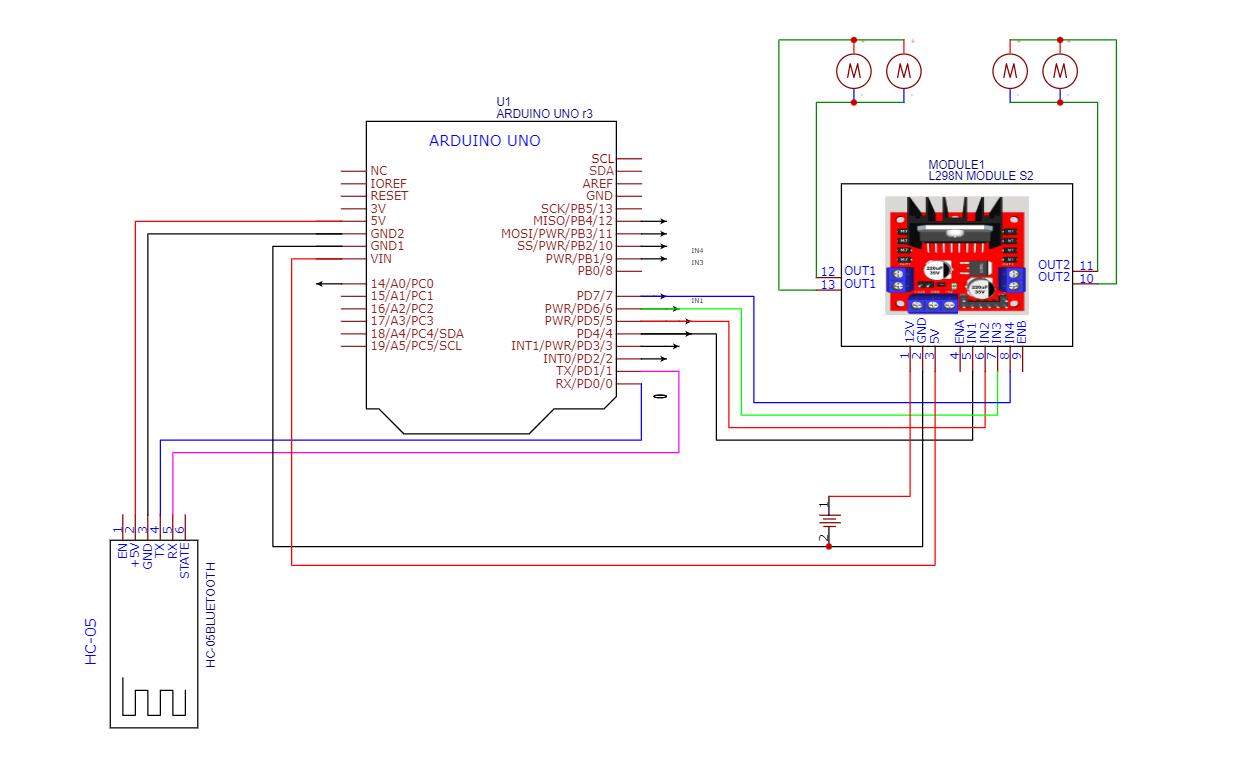
Code:
char data; // Variable to store received data

void setup() {
  Serial.begin(9600); // Start serial communication at 9600 baud rate

  // Set motor control pins as output
  pinMode(7, OUTPUT);
  pinMode(6, OUTPUT);
  pinMode(5, OUTPUT);
  pinMode(4, OUTPUT);

}

void loop() {
  if (Serial.available() > 0) {
    data = Serial.read(); // Read received data

    // Control motor movement based on received data
    switch (data) {
      case 'F': // Move Forward
        digitalWrite(7, HIGH);
        digitalWrite(6, LOW);
        digitalWrite(5, HIGH);
        digitalWrite(4, LOW);
        break;
      case 'B': // Move Backward
        digitalWrite(7, LOW);
        digitalWrite(6, HIGH);
        digitalWrite(5, LOW);
        digitalWrite(4, HIGH);
        break;
      case 'L': // Turn Left
        digitalWrite(7, LOW);
        digitalWrite(6, HIGH);
        digitalWrite(5, HIGH);
        digitalWrite(4, LOW);
        break;
      case 'R': // Turn Right
        digitalWrite(7, HIGH);
        digitalWrite(6, LOW);
        digitalWrite(5, LOW);
        digitalWrite(4, HIGH);
        break;
      case 'S': // Stop
        digitalWrite(7, LOW);
        digitalWrite(6, LOW);
        digitalWrite(5, LOW);
        digitalWrite(4, LOW);
        break;
    }
  }
}
Test and Control with Your Smartphone
Once you’ve uploaded the code to your Arduino, it’s time to test it out. Pair your smartphone with the Bluetooth module (using a Bluetooth app such as Bluetooth Terminal or any custom app that allows serial communication). Open the app, connect to the HC-05/HC-06, and start sending commands like ‘F’, ‘B’, ‘L’, ‘R’, and ‘S’ to control the robot’s movements.
More Projects
-

Building an Automatic Dark Sensor with BD139 Transistor
Light and darkness are two sides of the same coin, influencing our daily lives in ways we often overlook. Imagine a world where lights adjust themselves according to the ambient light—a realm where darkness triggers illumination automatically. Such a world isn’t far-fetched, and with the BD139 transistor, creating an automatic dark sensor becomes an exciting…
-

Servo Motor Controller Circuit
A servo motor controller circuit is an electronic system designed to control the position, speed, and direction of a servo motor. Servo motors are used in various applications, including robotics, automation, and precision control systems. The controller circuit typically receives control signals (often from a microcontroller or external controller) and adjusts the servo motor’s movement…
-
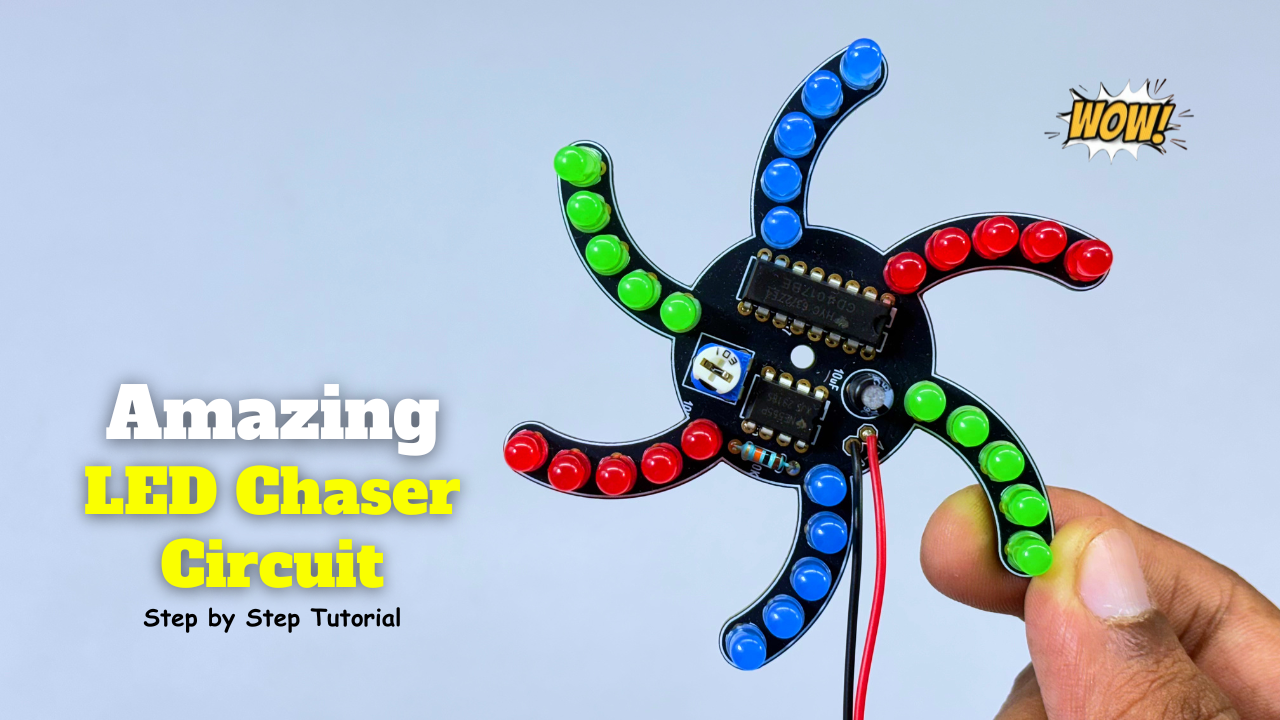
Amazing LED Chaser Circuit – Beautiful Decoration Idea
An LED chaser is an electronic circuit that lights LEDs one after another in a sequence. It creates a running or chasing light effect commonly seen in decorations and indicators. The sequence can move left-to-right, right-to-left, or in patterns. It’s usually built using ICs like 555 timer + 4017 decade counter. Components Required: Circuit Diagram:…